Product capabilities

AI code review features and workflow.

Peertic reviews pull requests against linked requirements and repository rules, publishes line-level GitHub findings, and shares verdicts in Slack. Teams can run it in their own infrastructure, inspect each review, and refine guidelines from feedback.

01 / 09

Pull request review

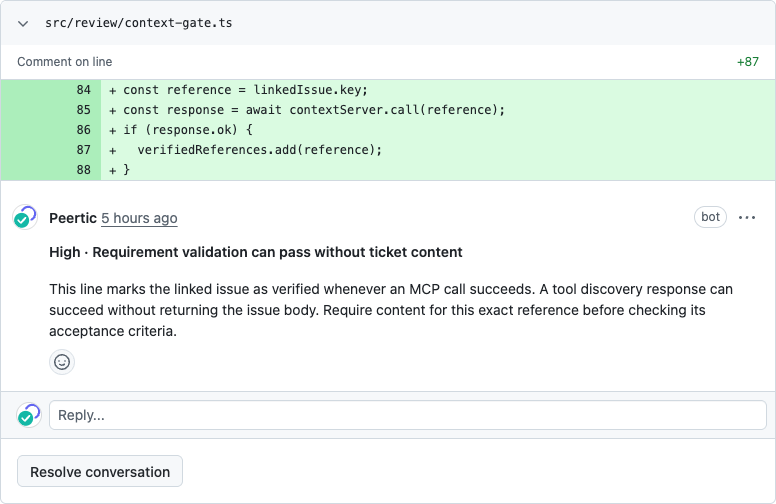
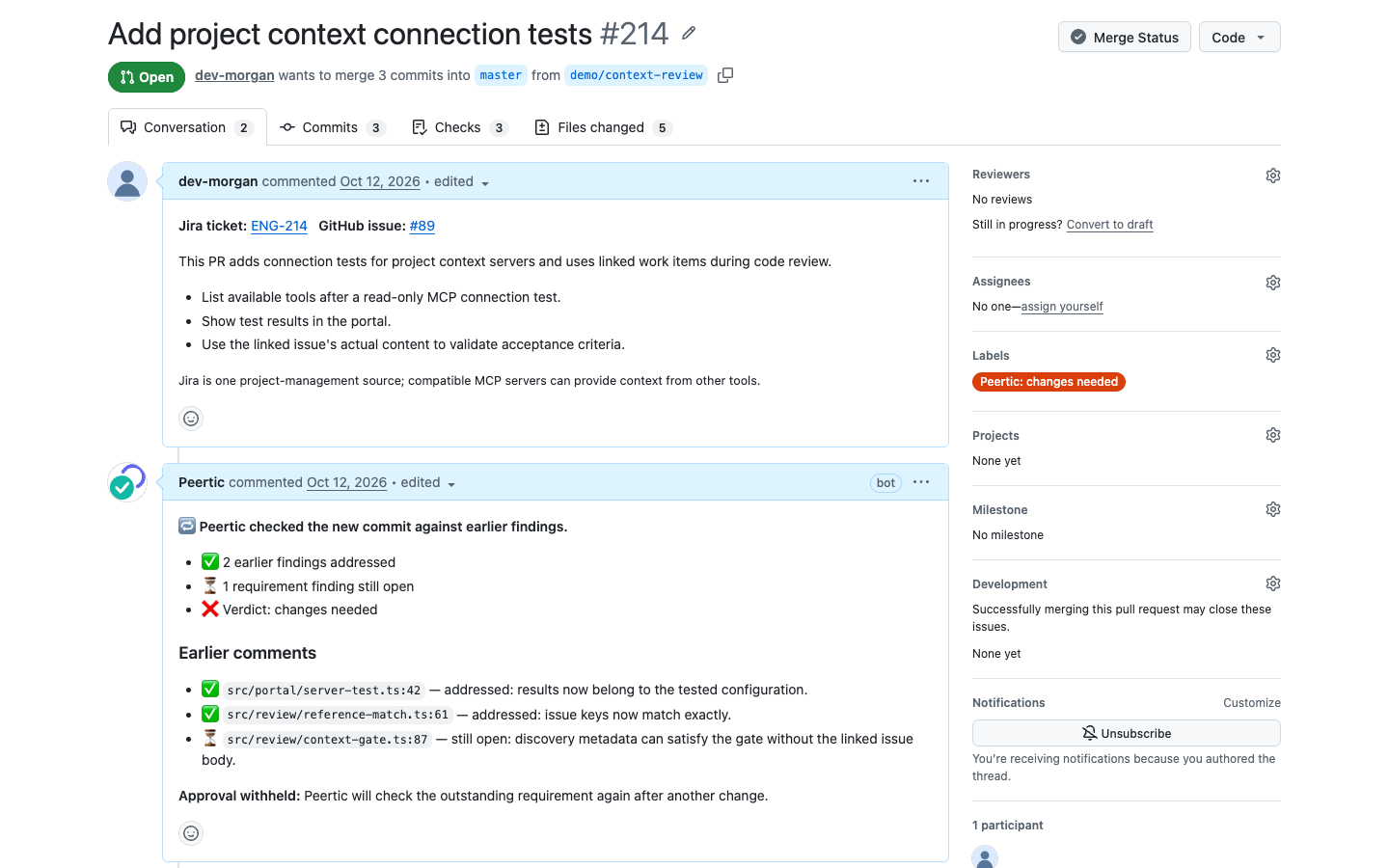
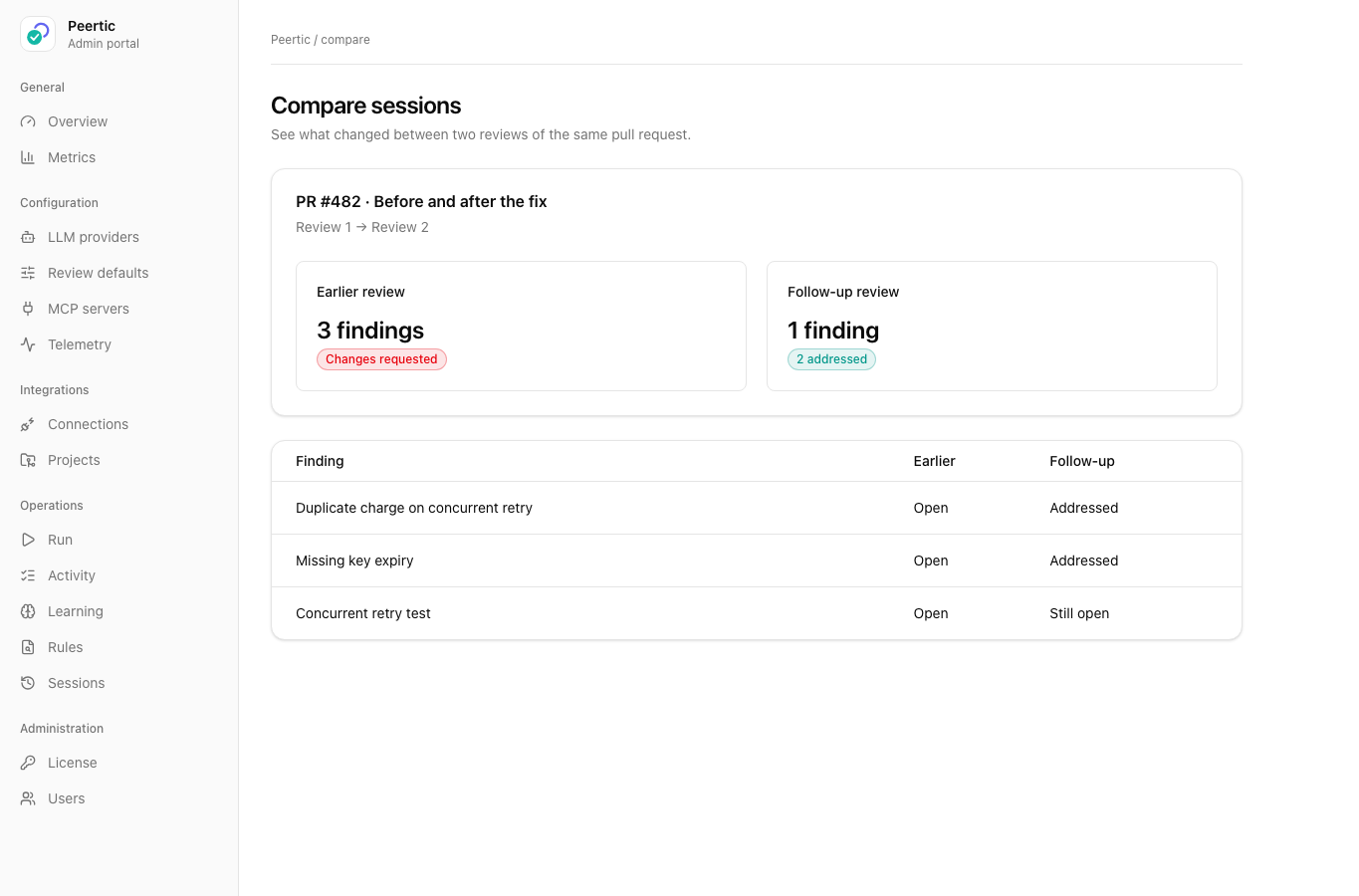
From a PR description, Peertic can use linked Jira tickets and GitHub issues as requirements context, compare acceptance criteria with changed code, and post line-level findings. Follow-up reviews revisit earlier findings; the recorded example shows where AI assistant triage was needed.

Inspect a recorded payment retry review, its test results, and follow-up →
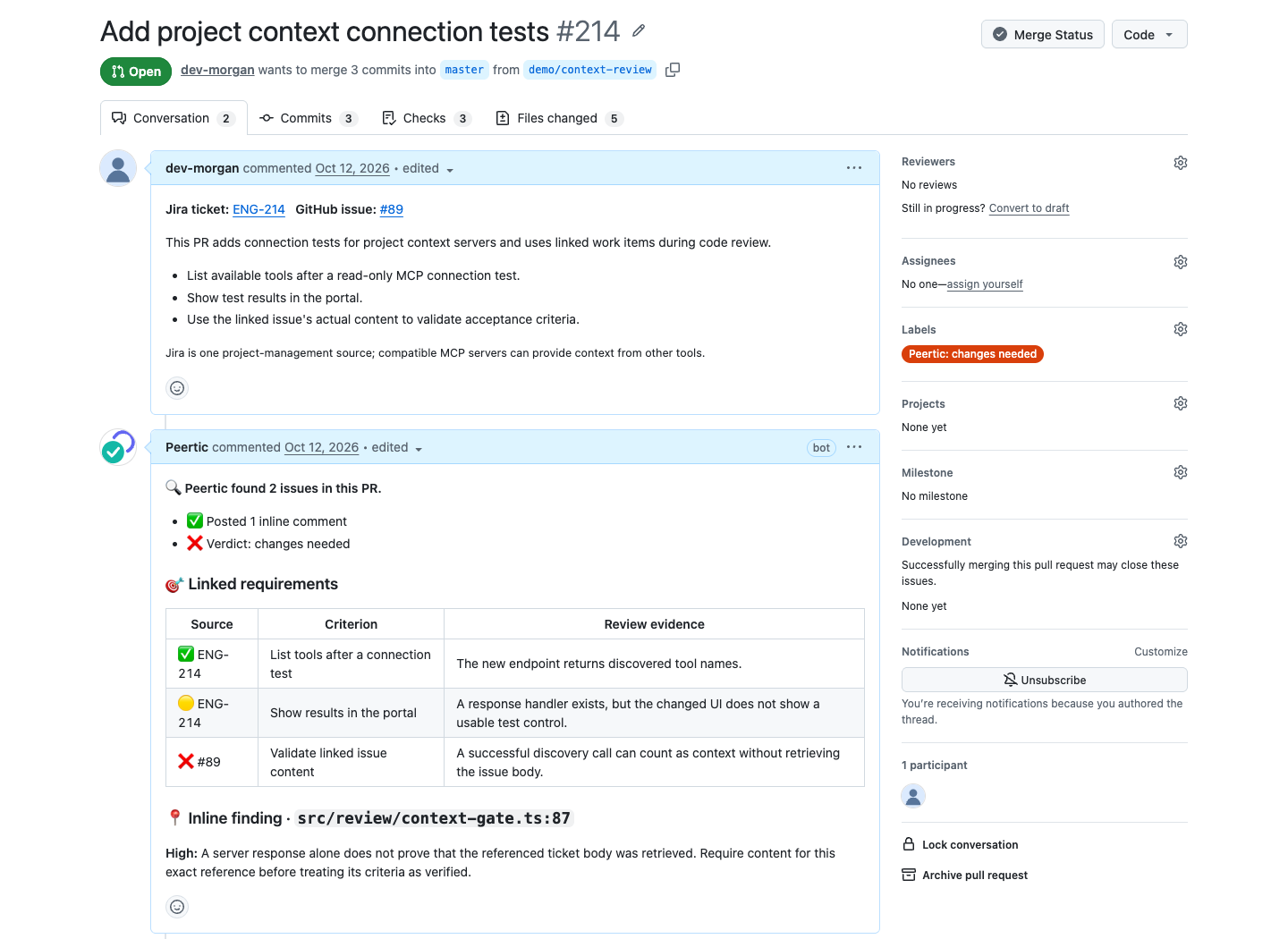
GitHub pull request showing Peertic checking linked requirements and posting a finding
Linked requirements and review findings
Peertic inline finding on a changed line in a GitHub pull request
Inline finding on a changed line
GitHub pull request showing Peertic follow-up findings and approval status
Follow-up review of resolved and open findings
02 / 09

Review engine and scan modes

File selection, related-file bundles, per-file rules, codebase context, positioning, and reflection keep reviews focused. Run reviews on working changes, branches, commits, and pull requests, or scan whole files without a diff.
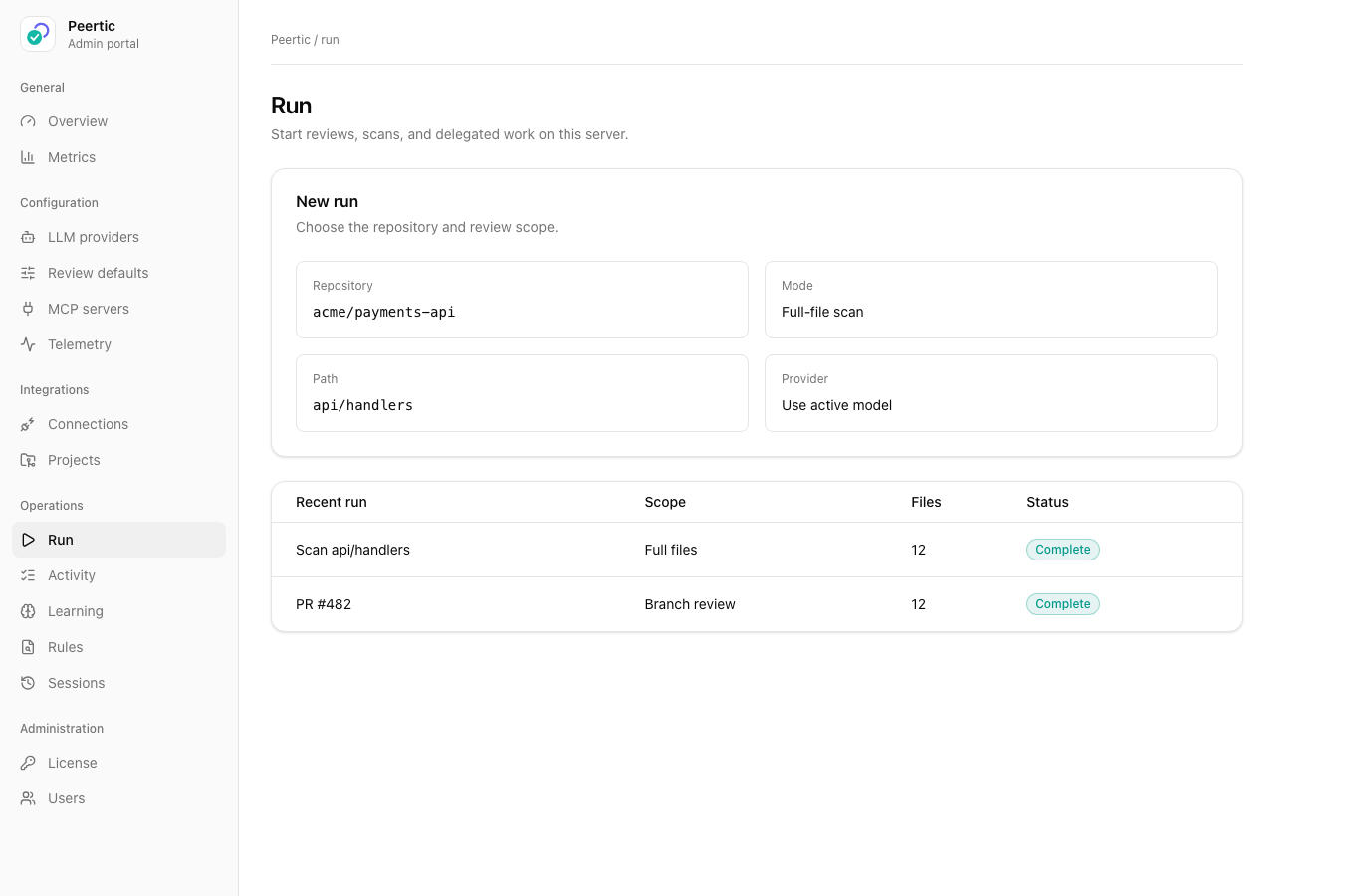
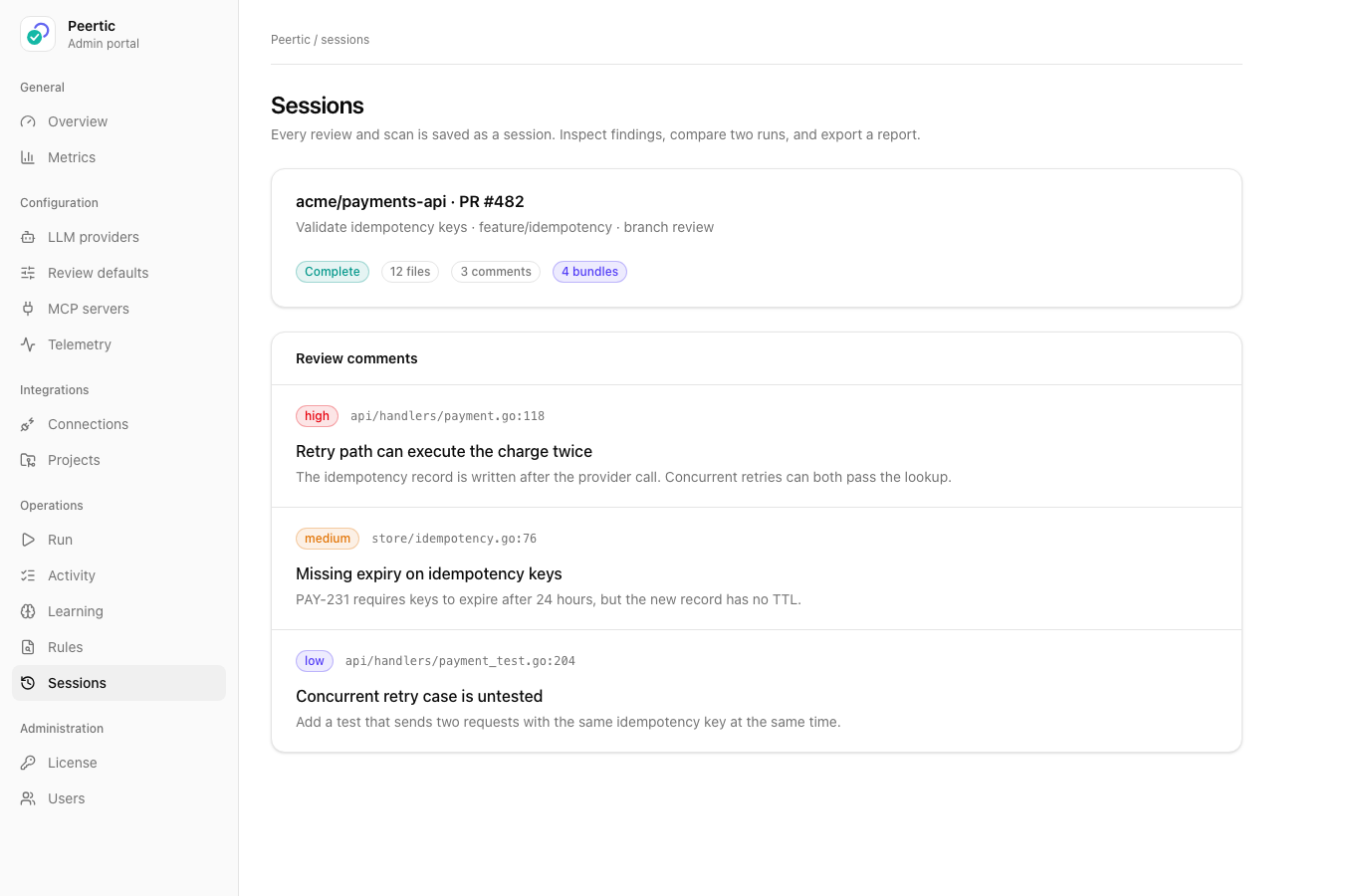
Peertic portal view for starting a full-file scan
Run a full-file scan from the portal
Peertic portal view showing results of a completed review
Inspect the output of a completed review
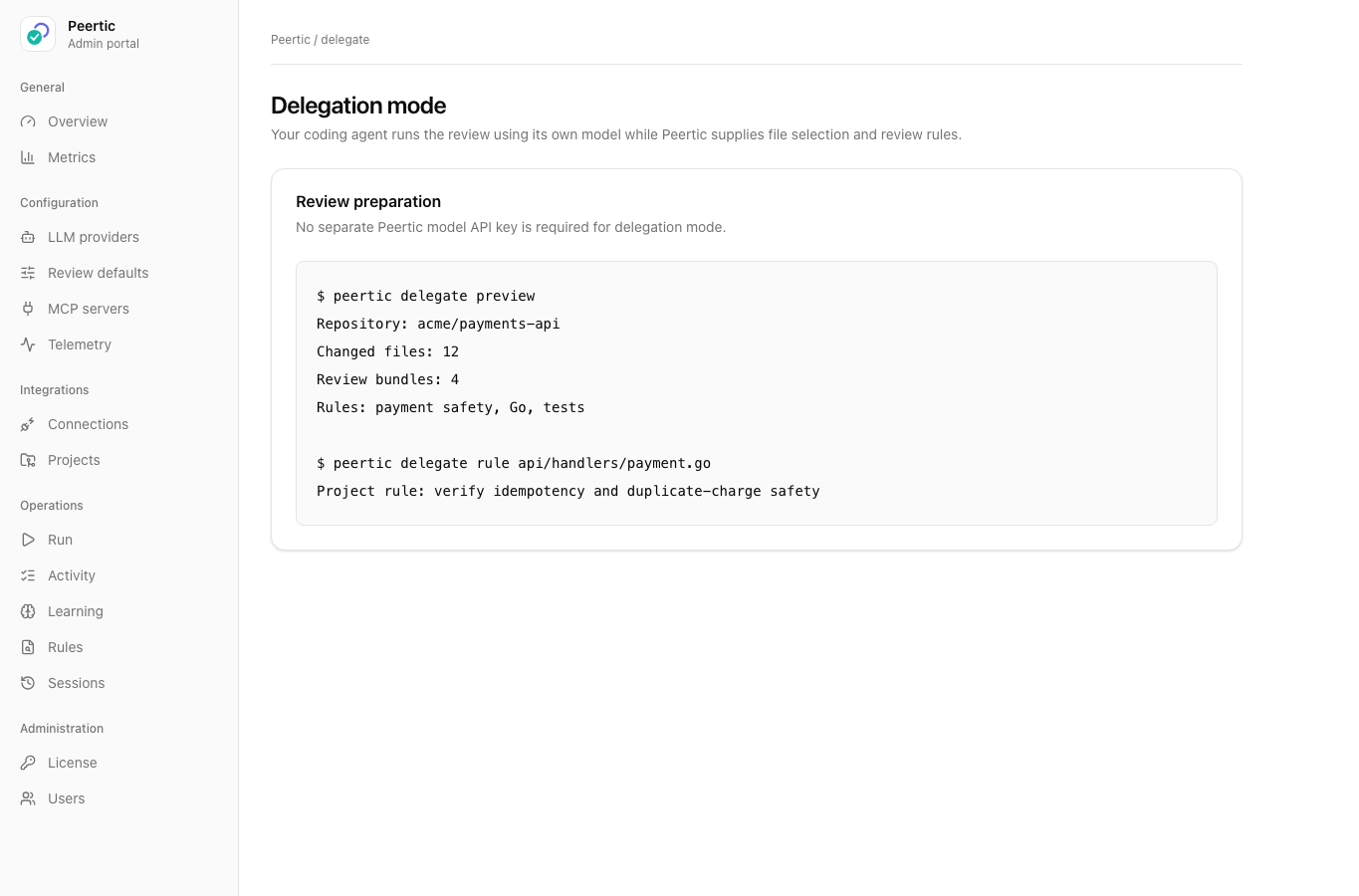
Peertic delegation view showing file selection and review rules
Delegation mode gives a coding agent Peertic file selection and rules
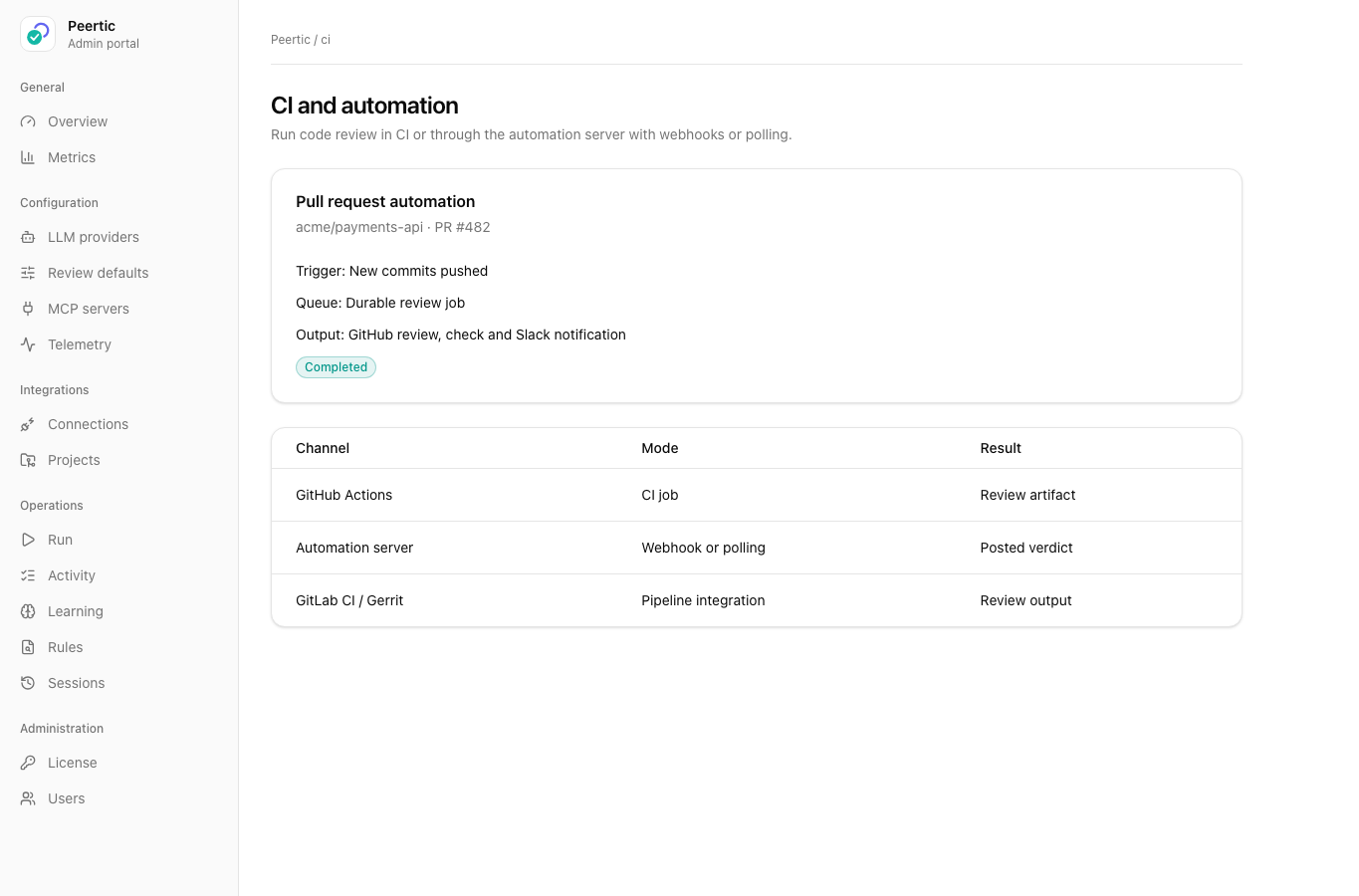
Peertic CI and server automation view for pull request reviews
CI and server automation for pull request reviews
03 / 09

Admin portal and operations

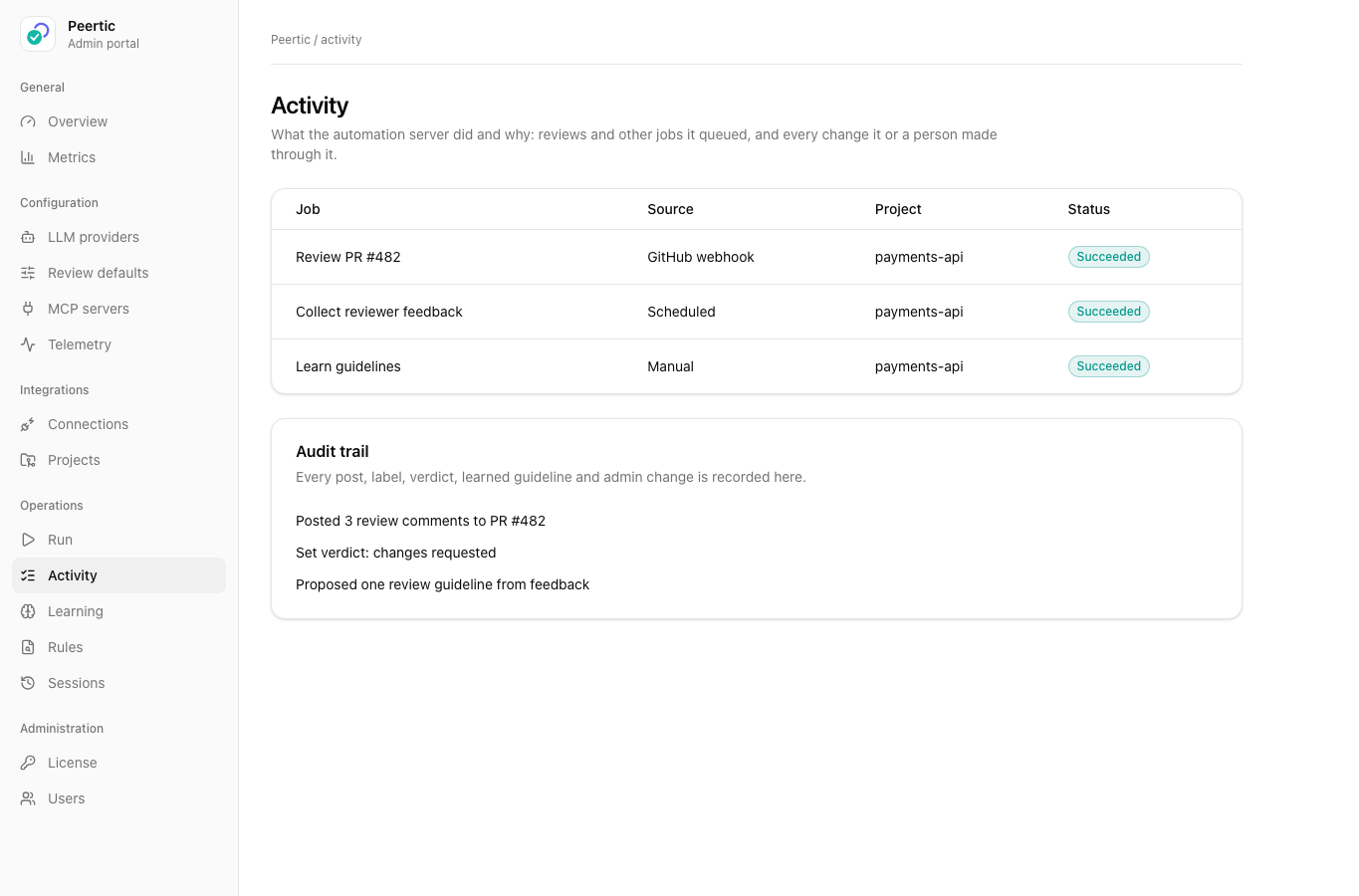
Configure Peertic, start runs, inspect saved sessions, and see what the automation server queued and why. The activity log records review posts, verdicts, and administrative changes.
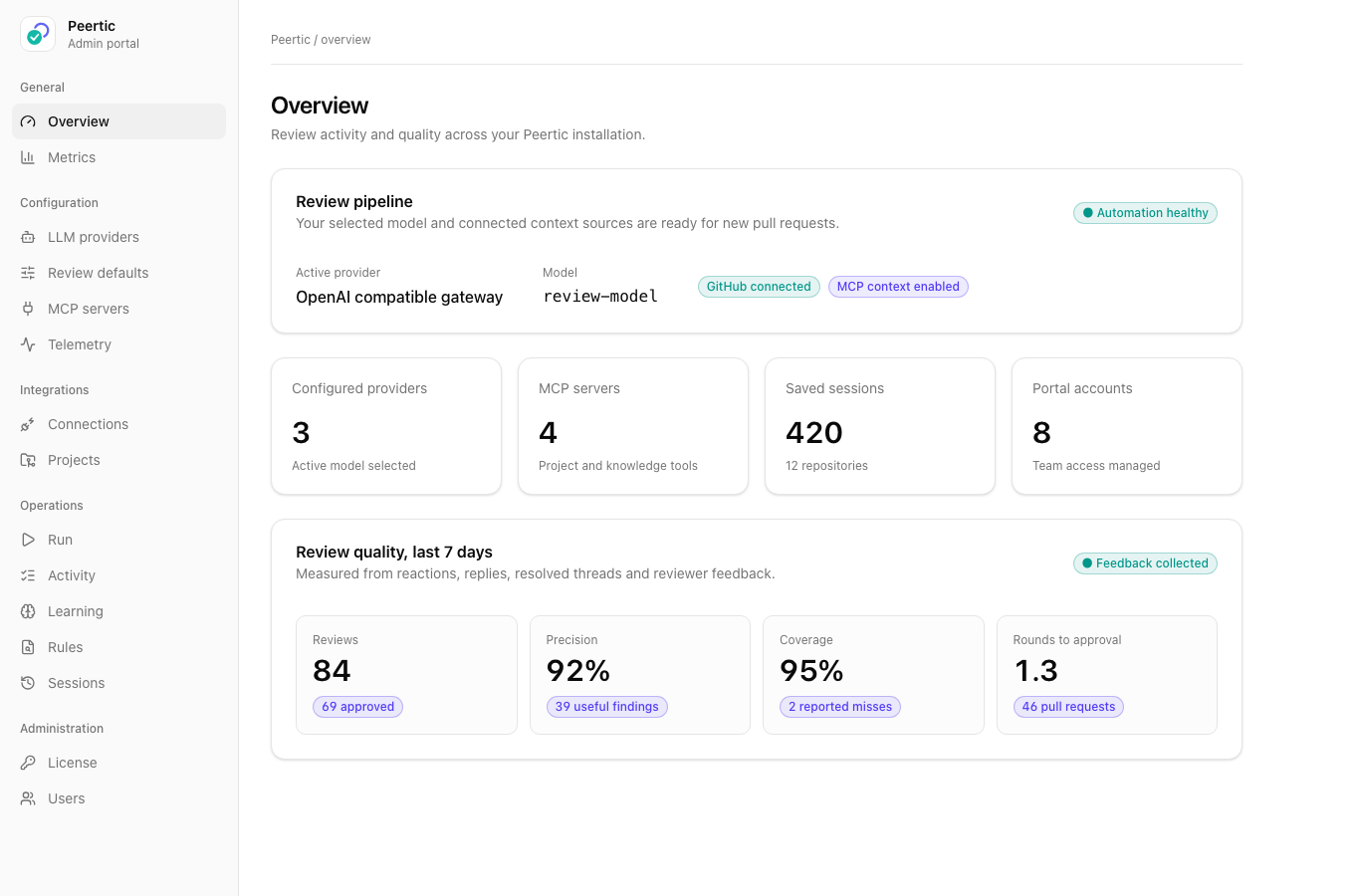
Peertic portal overview of model provider, review sessions, and quality metrics
Overview of provider, sessions, and review quality
Peertic activity view showing review jobs and audit history
Jobs and audit trail
Peertic portal view for starting a review or full-file scan
Start a review or full-file scan
04 / 09

Rules and project policy

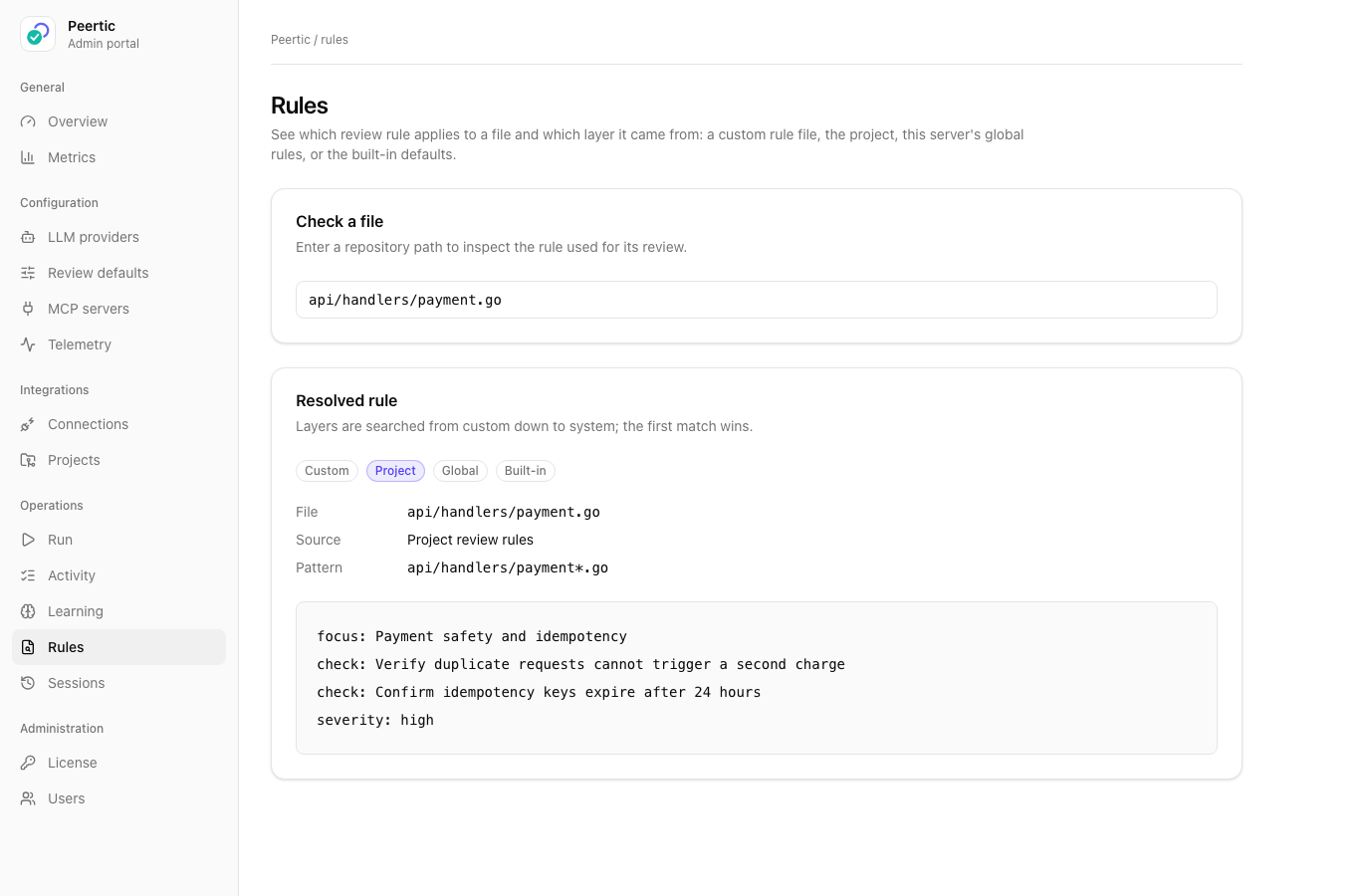
Set review triggers, scope, severity thresholds, merge checks, and ticket requirements per repository. Check a file path to see the exact rule and source layer the reviewer will use.
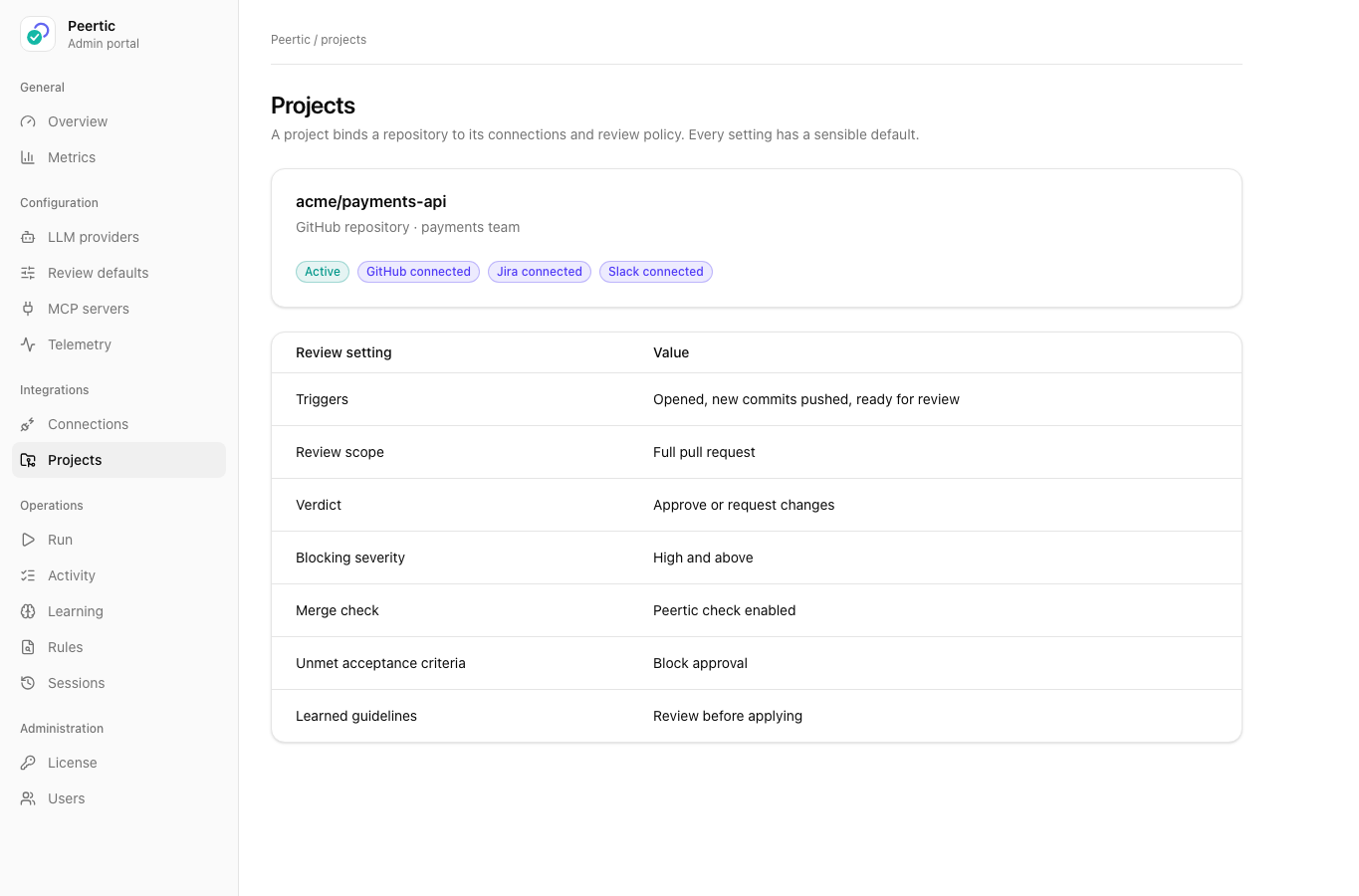
Peertic project view showing repository policy and connections
Repository policy and connections
Peertic rules view showing the policy applied to a payment handler
Resolved rule for a payment handler
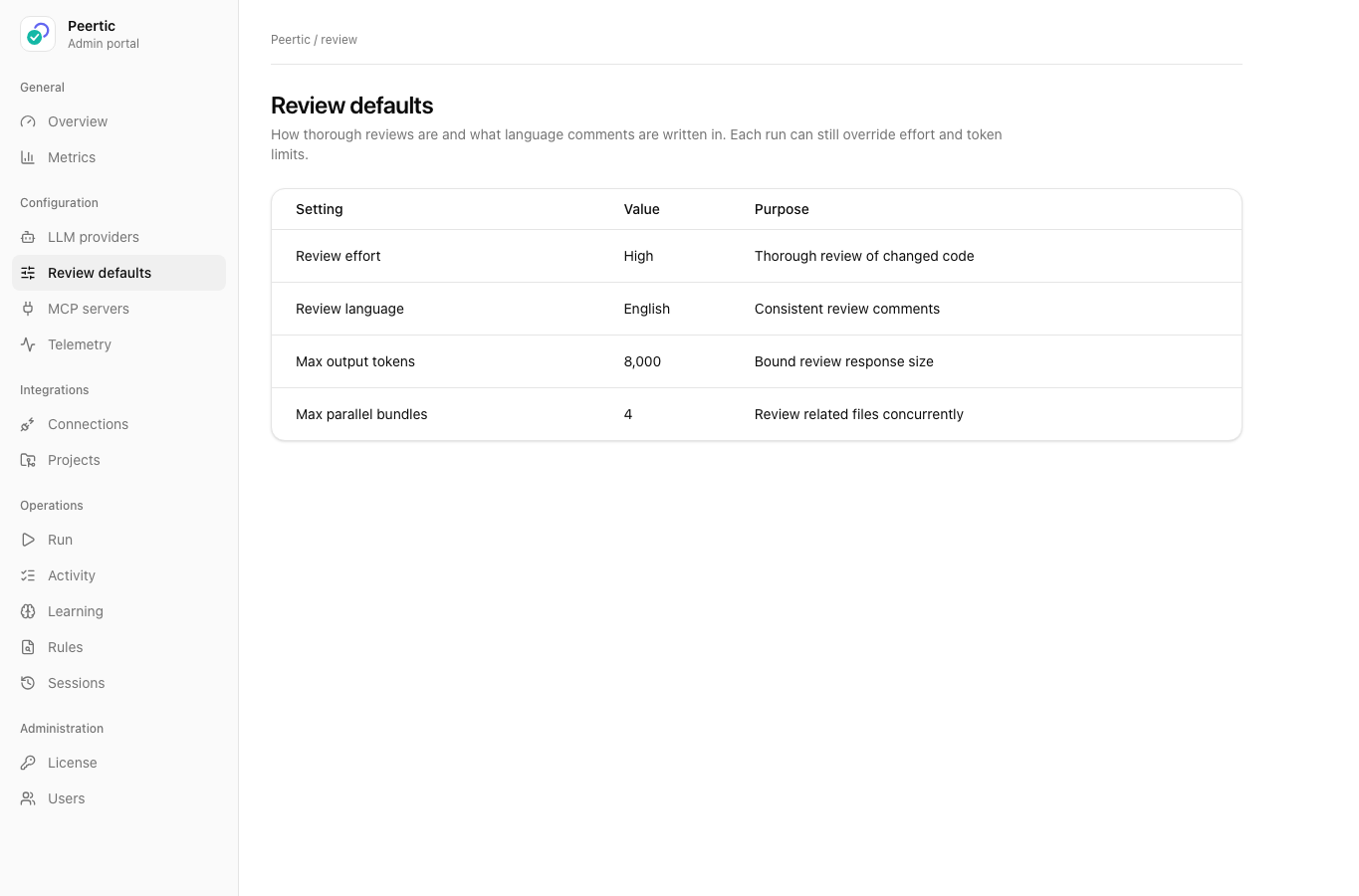
Peertic review settings for effort, language, and limits
Review defaults for effort, language, and limits
05 / 09

Feedback and learning

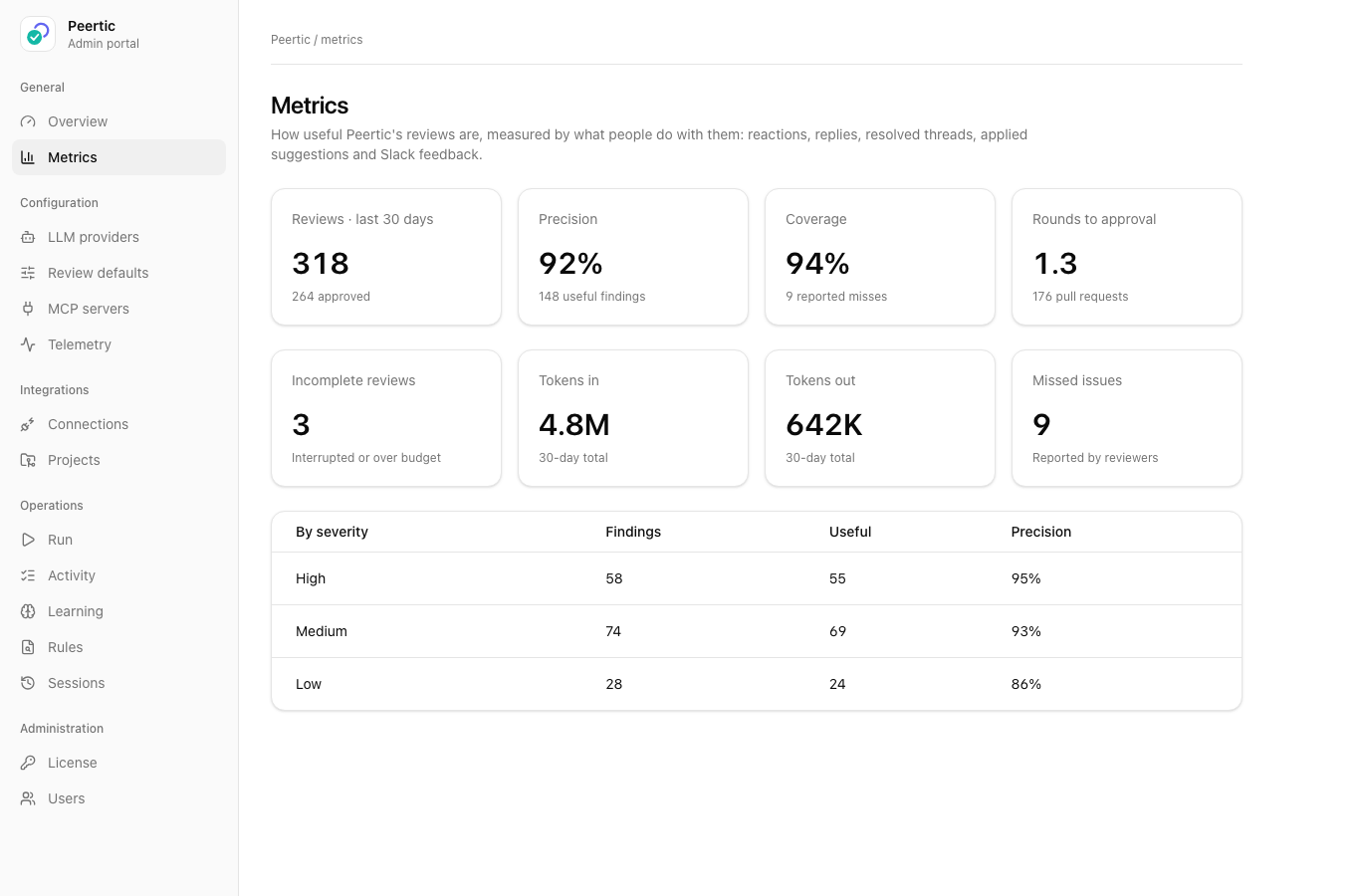
GitHub reactions, replies, resolved threads, and Slack feedback provide quality signals. Peertic can propose guidelines for matching files; admins can review, edit, approve, or revert them.
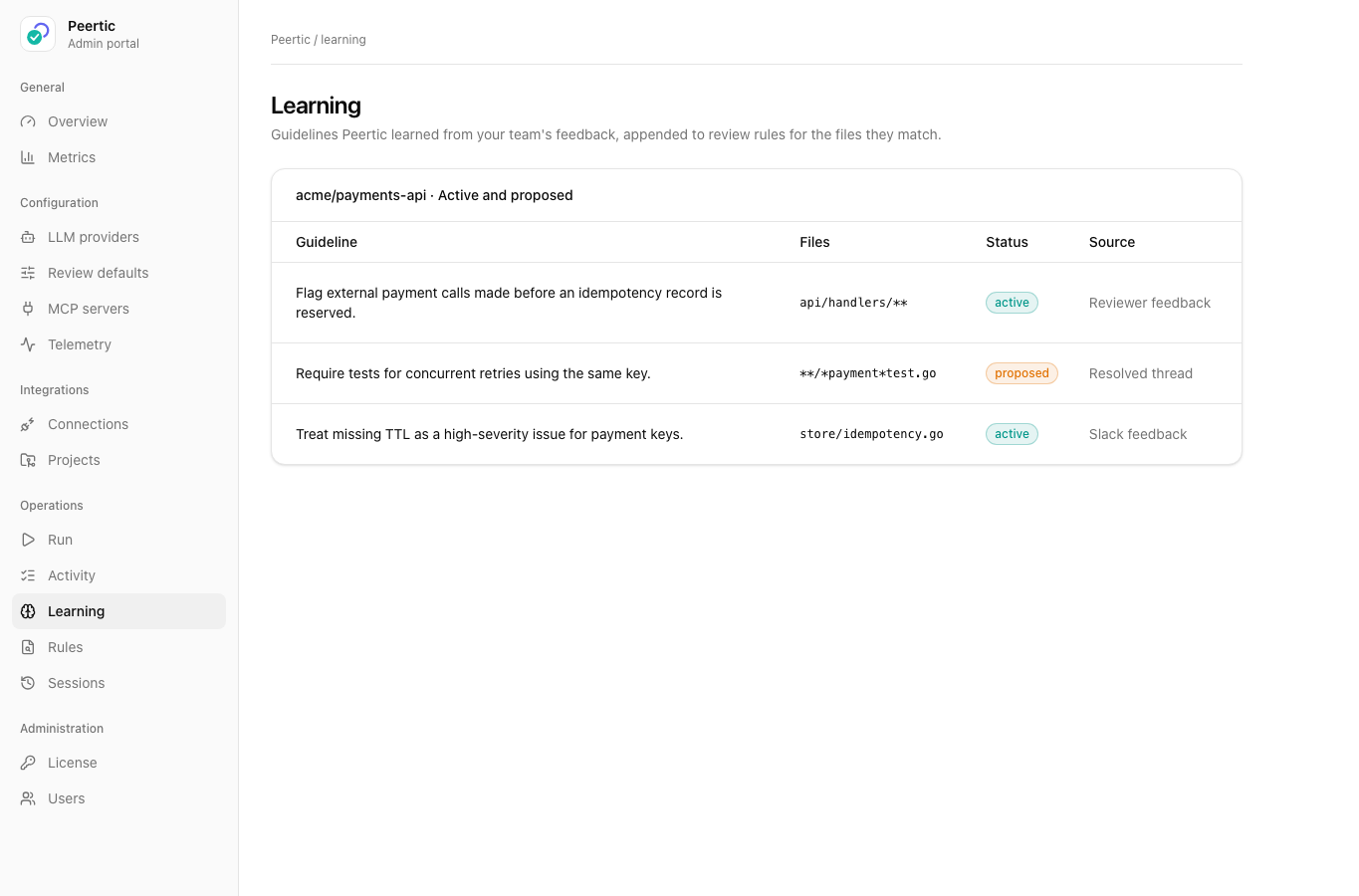
Peertic learning view with proposed and active review guidelines
Proposed and active learned guidelines
Peertic metrics view showing review quality and team feedback
Review quality and feedback metrics
06 / 09

Ticket-aware review

Bring linked requirements into a review through project management tools such as Jira and through GitHub issues. Compatible MCP servers can provide context from other project, documentation, or knowledge tools. Peertic can compare code with acceptance criteria and write the outcome back when configured.
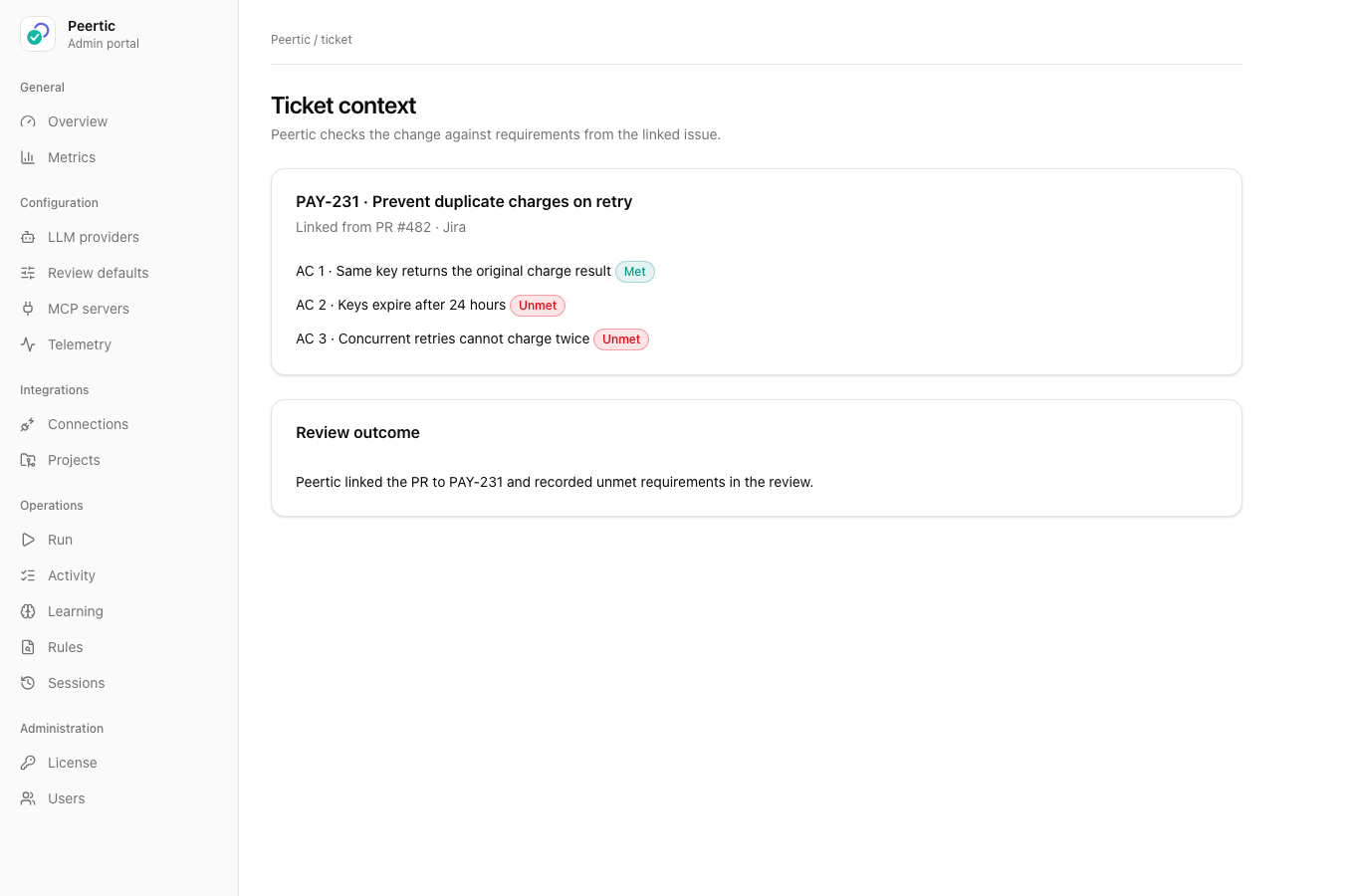
Peertic ticket view showing acceptance criteria and unmet requirements
Acceptance criteria and unmet requirements
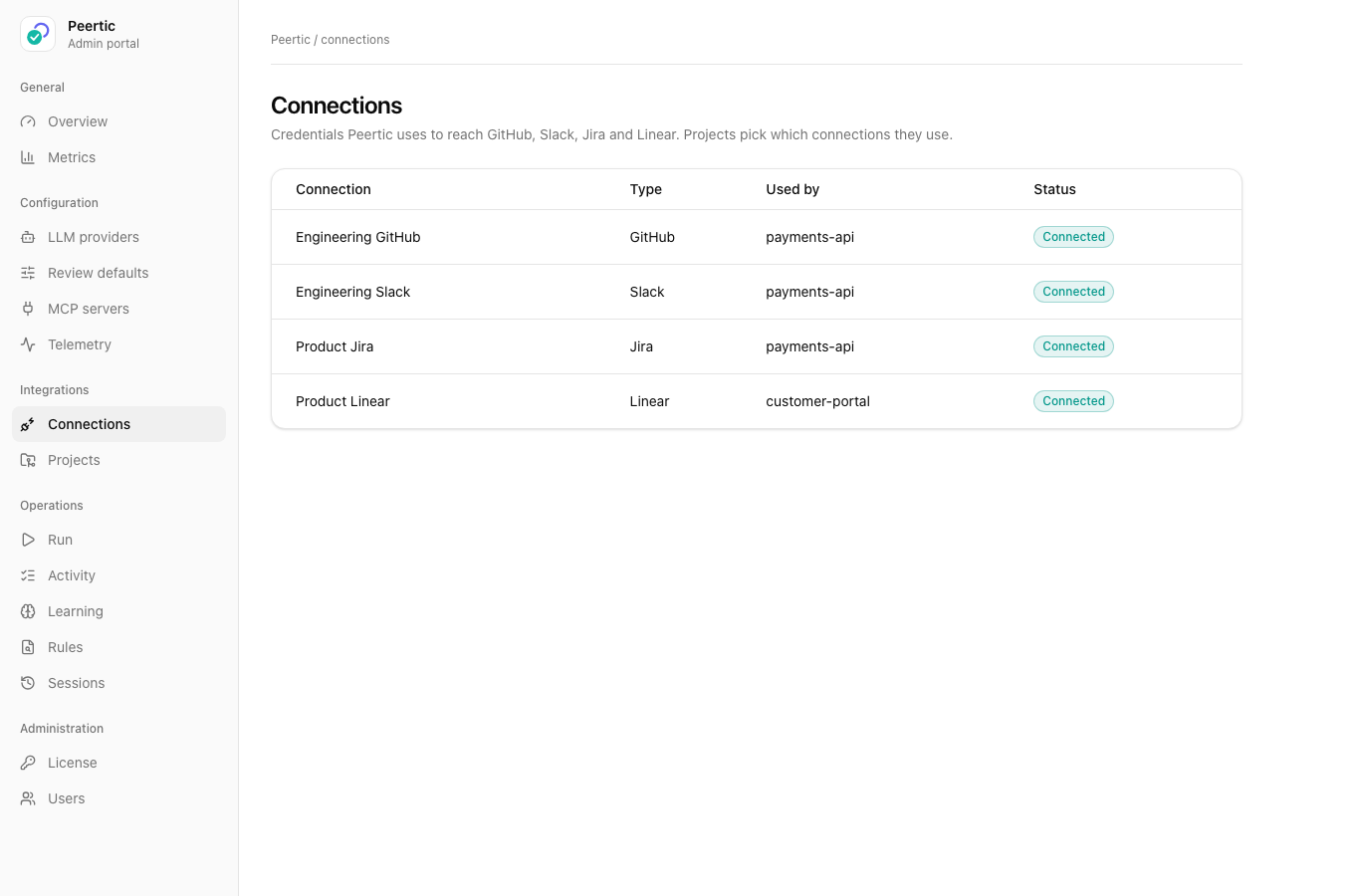
Peertic connections view showing configured ticket systems
Configured ticket connections
07 / 09

Deployment and model choice

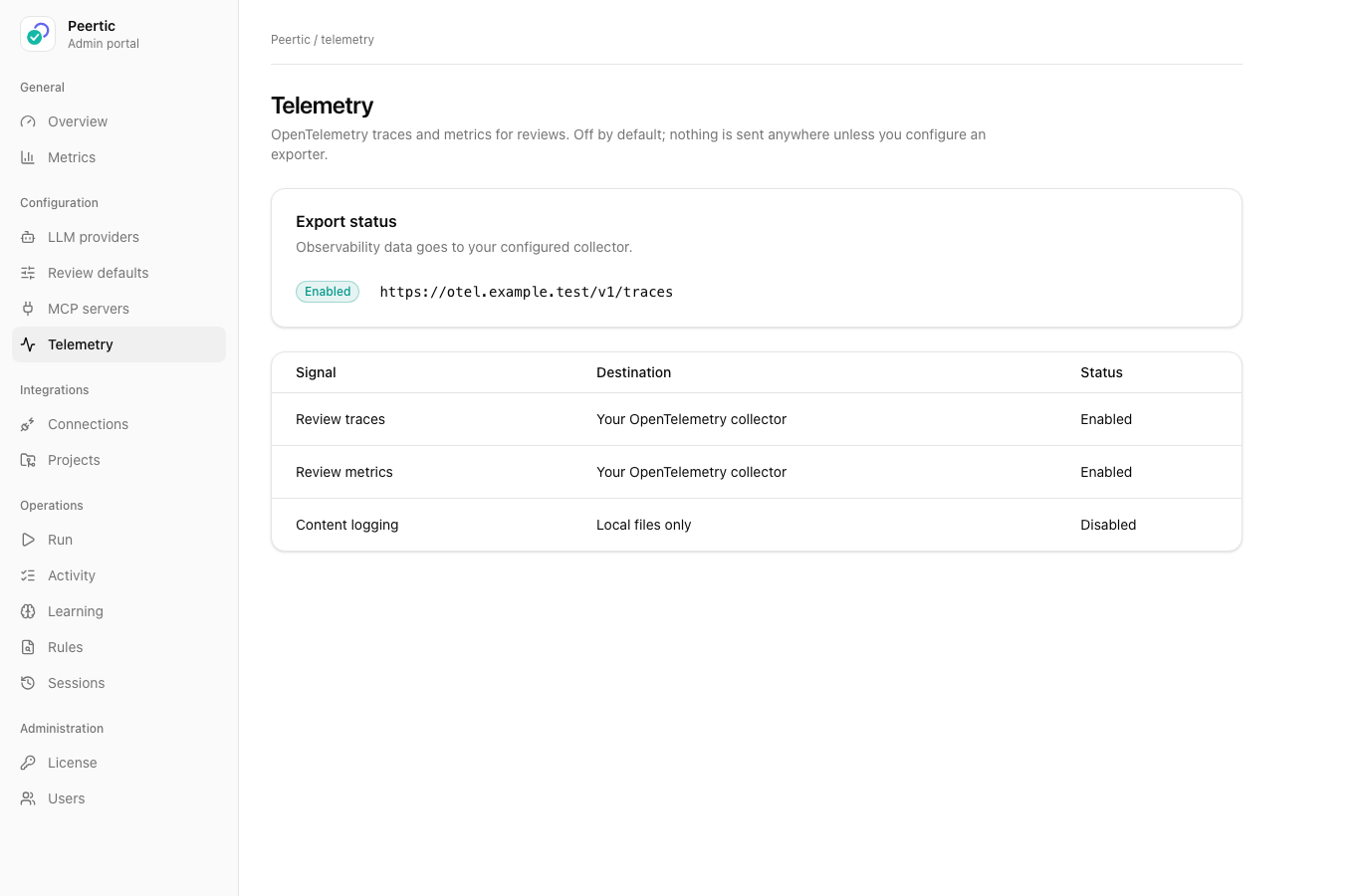
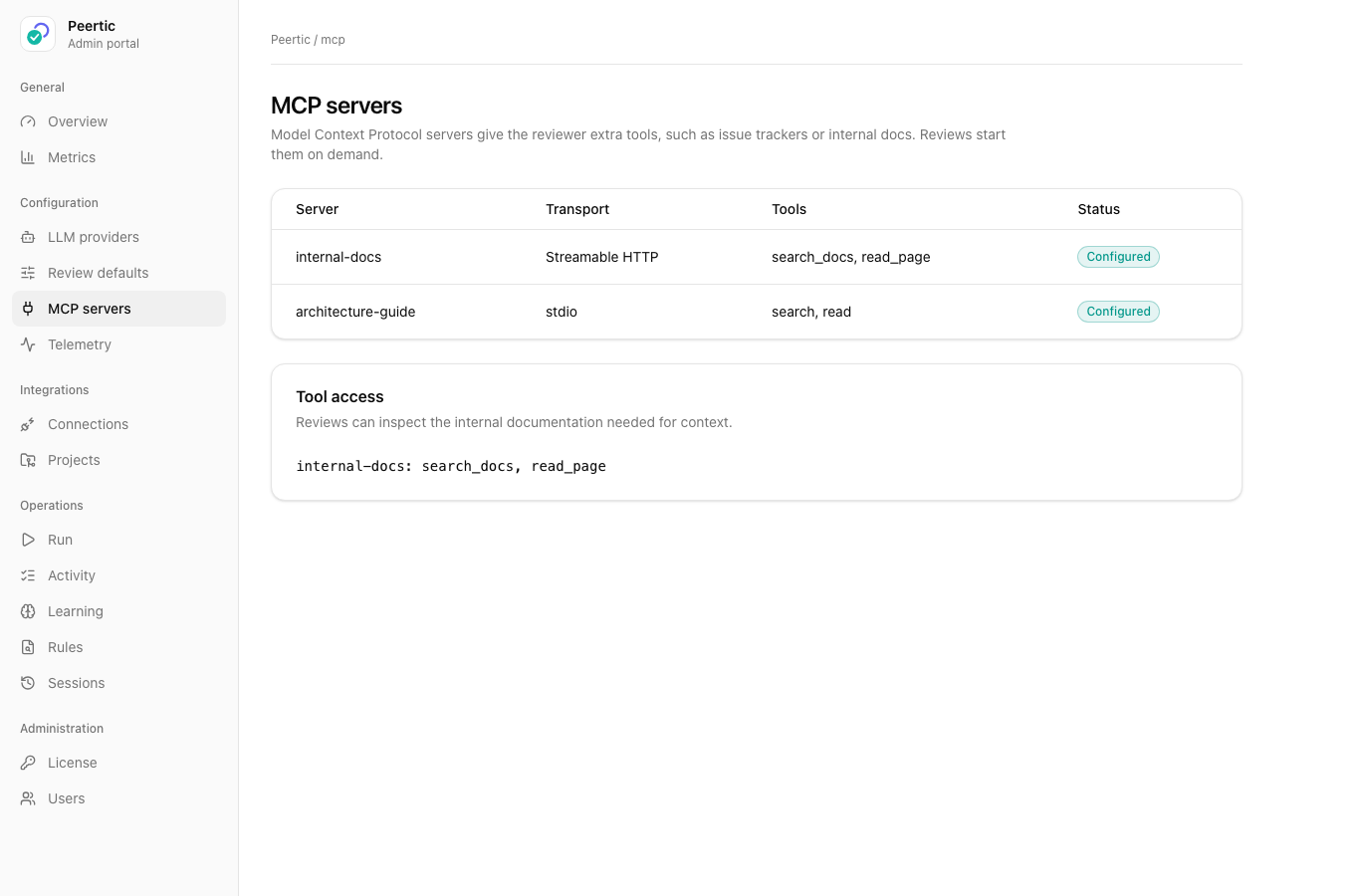
Self-host on your own machine or infrastructure, or request dedicated hosting on your preferred infrastructure. Select a model provider or private gateway and configure review defaults, optional MCP context, and telemetry.
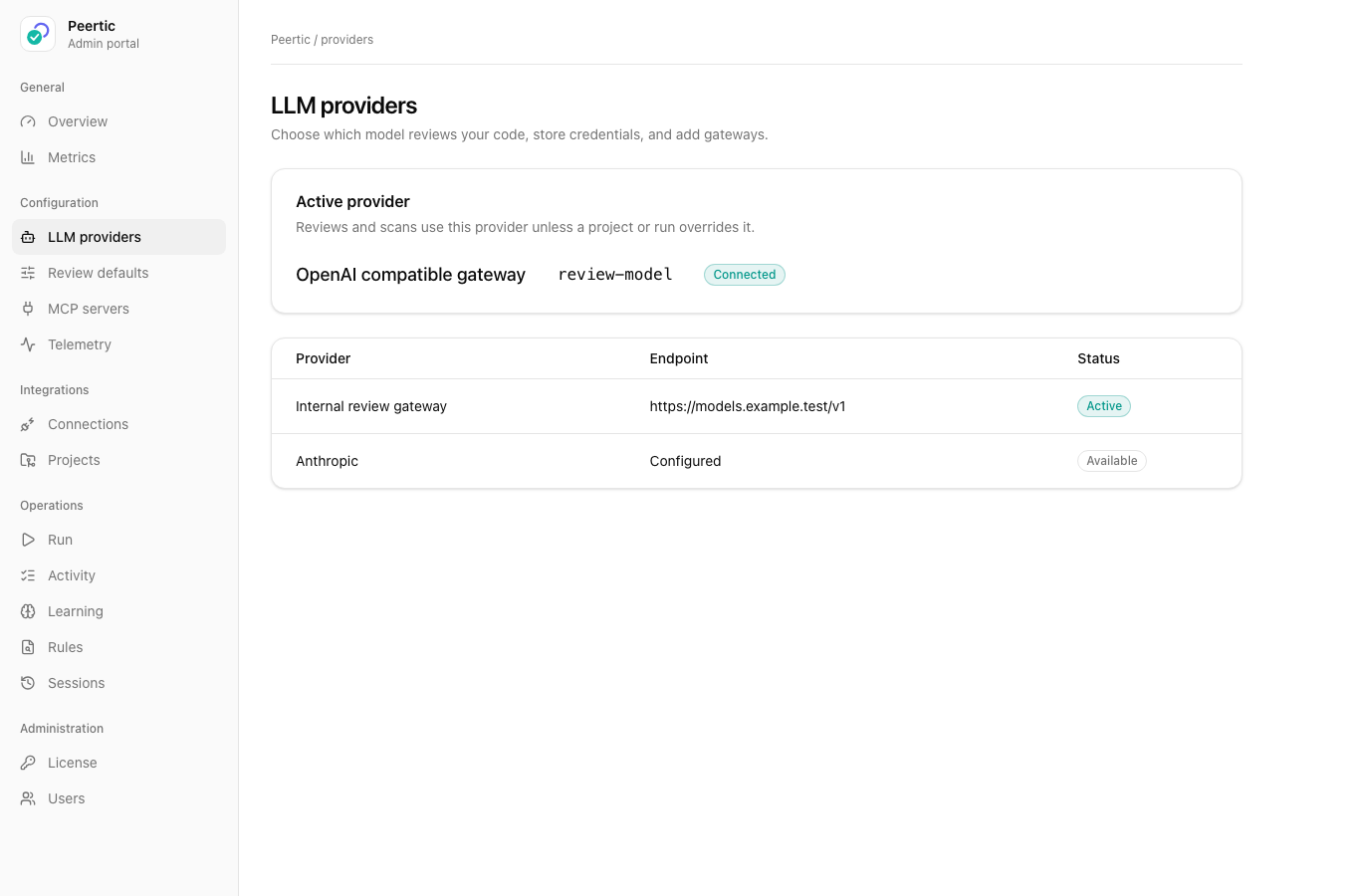
Peertic provider settings showing a selected model and private gateway
Selected model provider and private gateway
Peertic MCP settings showing additional reviewer tools
Extra reviewer tools from MCP servers
Peertic telemetry settings for export to a configured collector
Optional export to your own collector
08 / 09

Keep review decisions visible

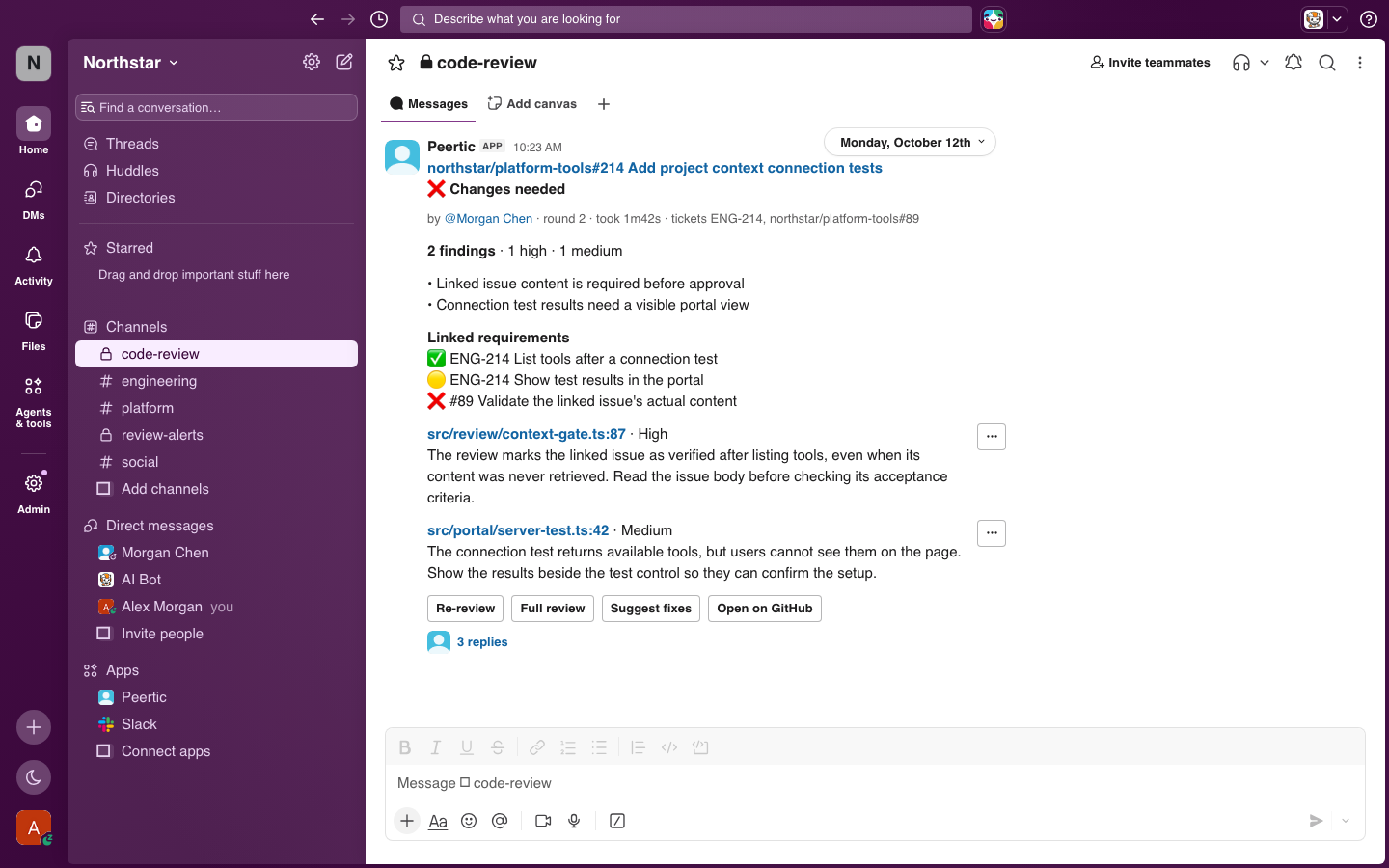
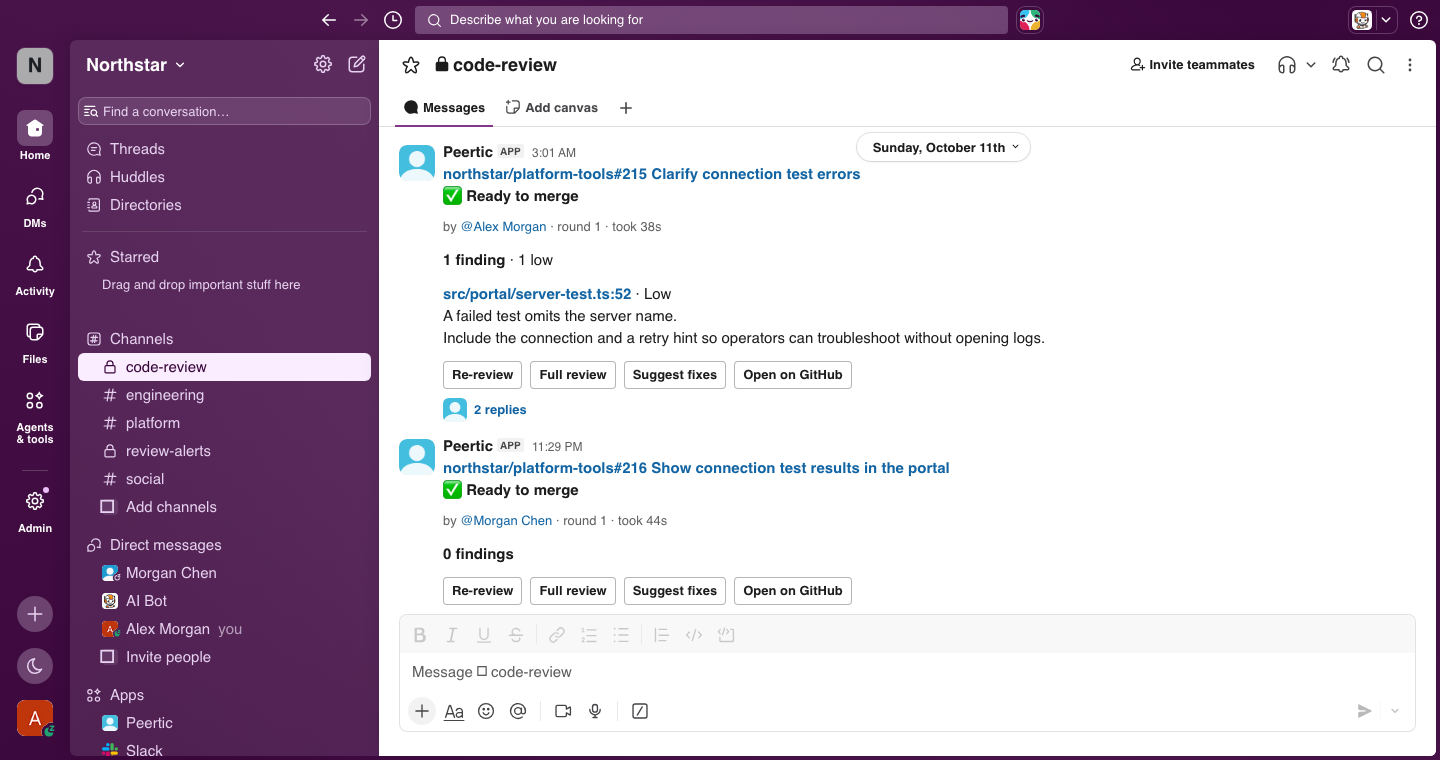
Connect each repository to its ticket source and team channel. Peertic publishes line-level findings and merge checks in GitHub, then keeps Slack current with verdicts, severity, linked requirements, and links back to the PR.

Teams can catch unmet acceptance criteria before merge, distinguish blockers from follow-up work, and request another review after a fix. Feedback on individual findings informs quality metrics and proposed guidelines.
Peertic connections view showing GitHub, Slack, Jira, and Linear
Available GitHub, Slack, Jira, and Linear connections
Peertic Slack review identifying an unmet acceptance criterion and a missing connection test result before merge
Catch unmet acceptance criteria before merge
Peertic Slack cards showing merge-ready reviews, a nonblocking finding, and follow-up actions
See merge-ready reviews and follow-up actions
09 / 09

Sessions and administration

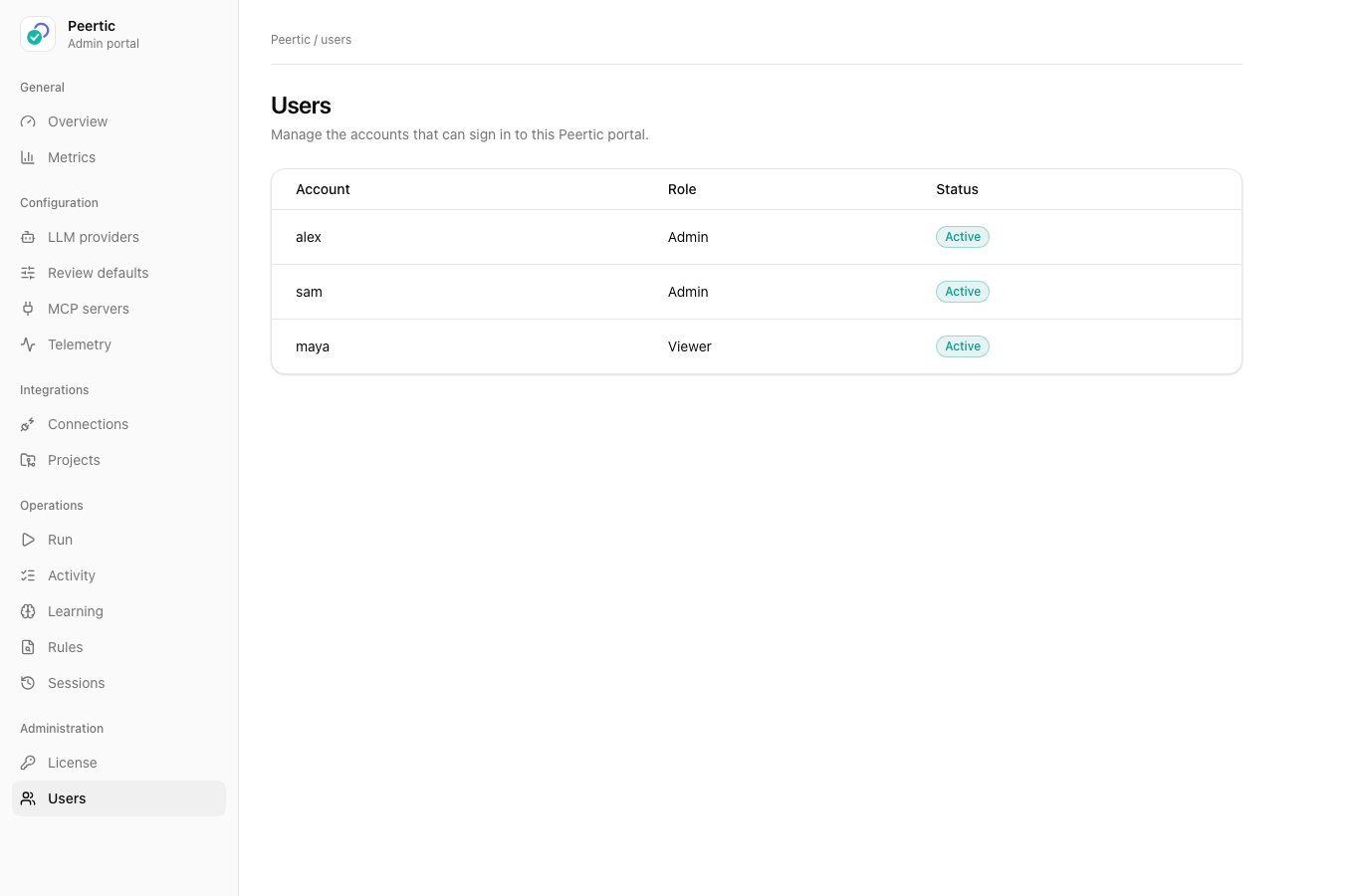
Browse and compare saved sessions, export reports, manage portal accounts, and inspect the event trail. This gives administrators a record of what ran and what it produced.
Peertic session view showing saved review findings
Saved review findings
Peertic portal account management view
Portal accounts
Peertic activity view showing automation history
Automation history
Peertic comparison of two review sessions
Compare two saved review sessions
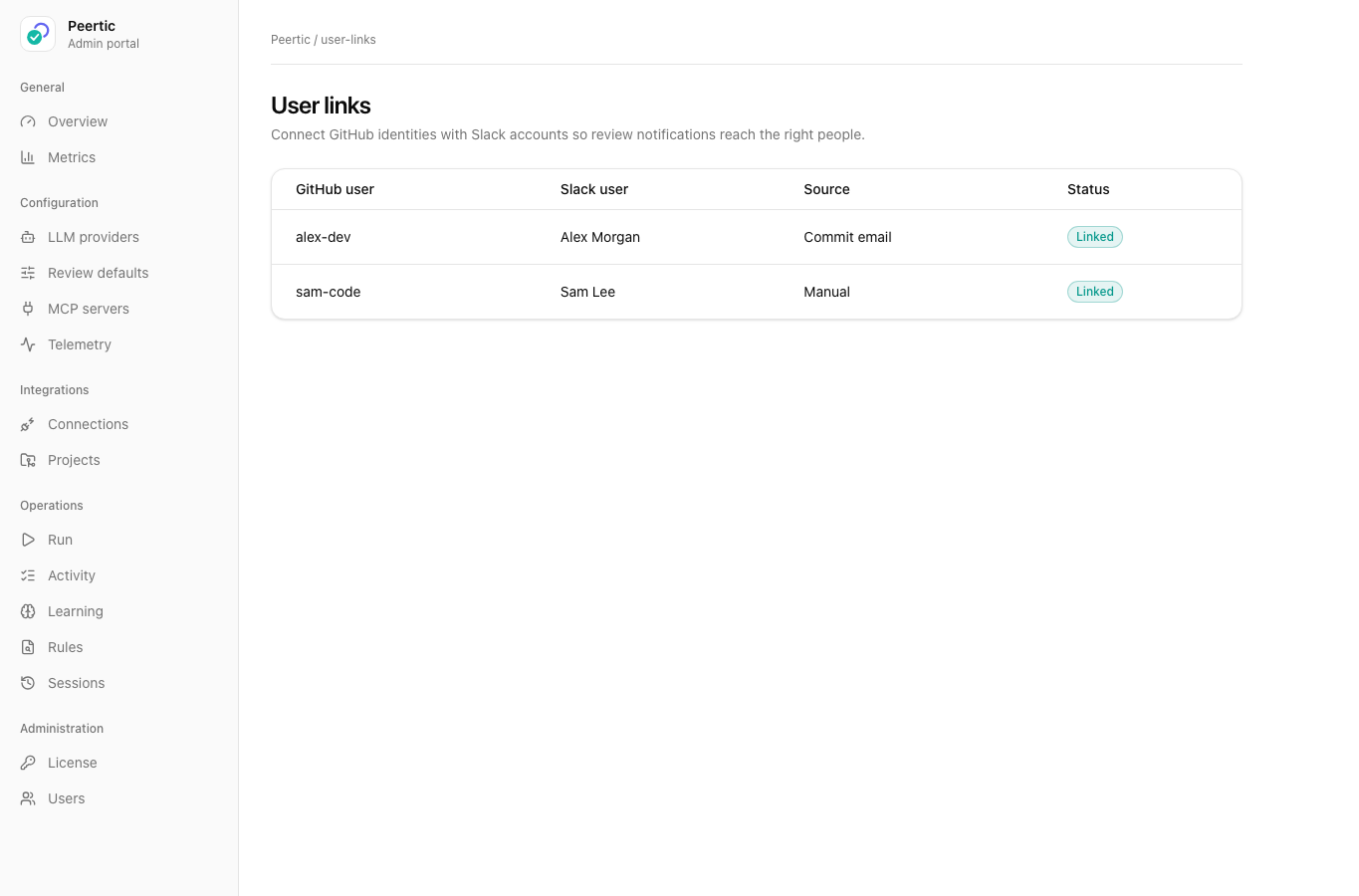
Peertic mapping of GitHub authors to Slack users
Map GitHub authors to Slack users
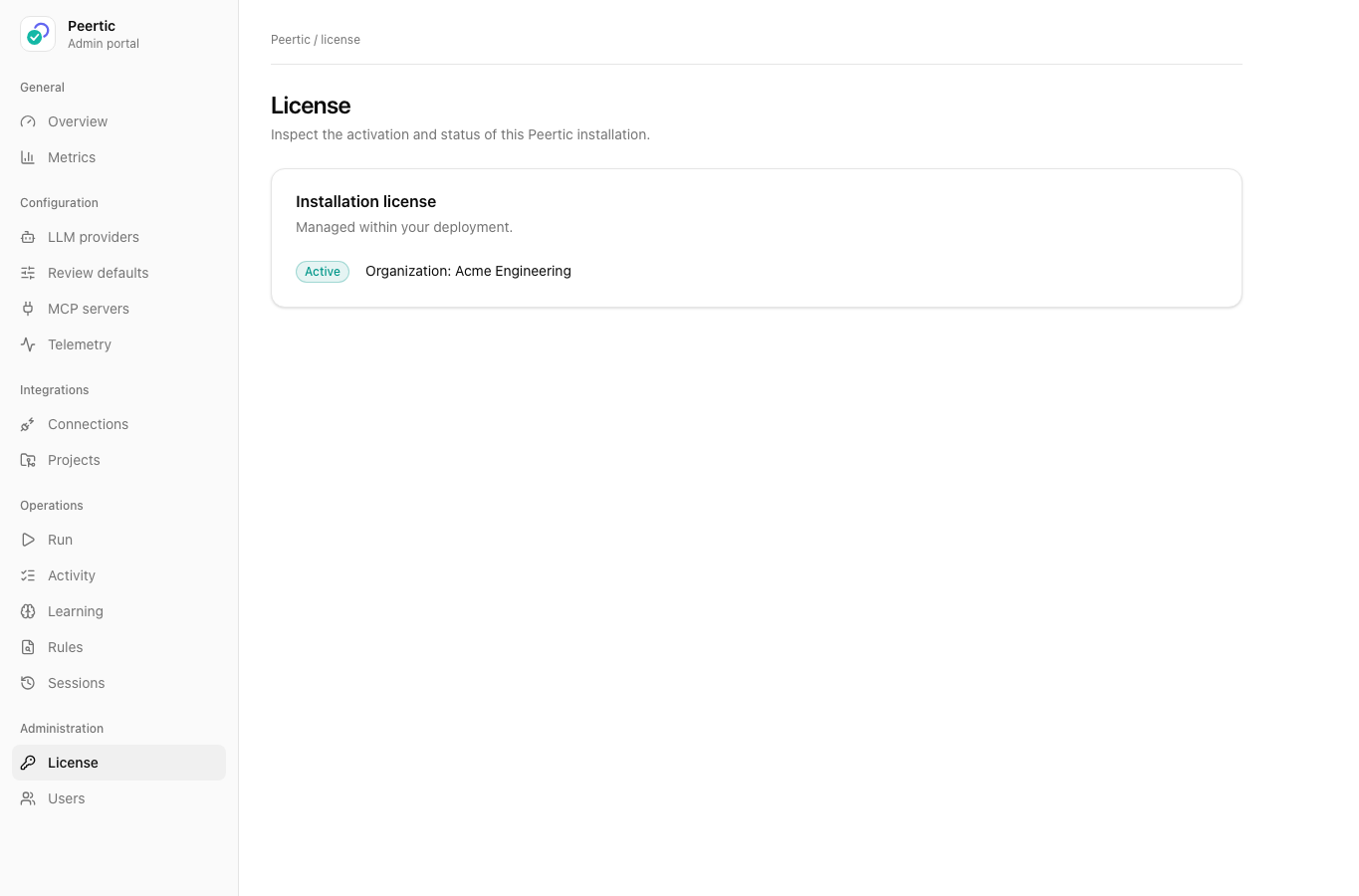
Peertic installation license status view
Installation license status